

YouTube Data API
The YouTube Data API source connector uses the YouTube Data API (opens in a new tab) to extract data about your YouTube channels or your YouTube activity. It is ideal for obtaining basic information about your channels, playlists, and videos.
Configuration
Section titled “Configuration”To begin, create a new configuration for the YouTube connector. Then click Authorize Account to authorize the configuration.
Select one of the two available templates:
- Channels: Provides information about your channels.
- Videos: Offers details about your playlists and their associated videos.
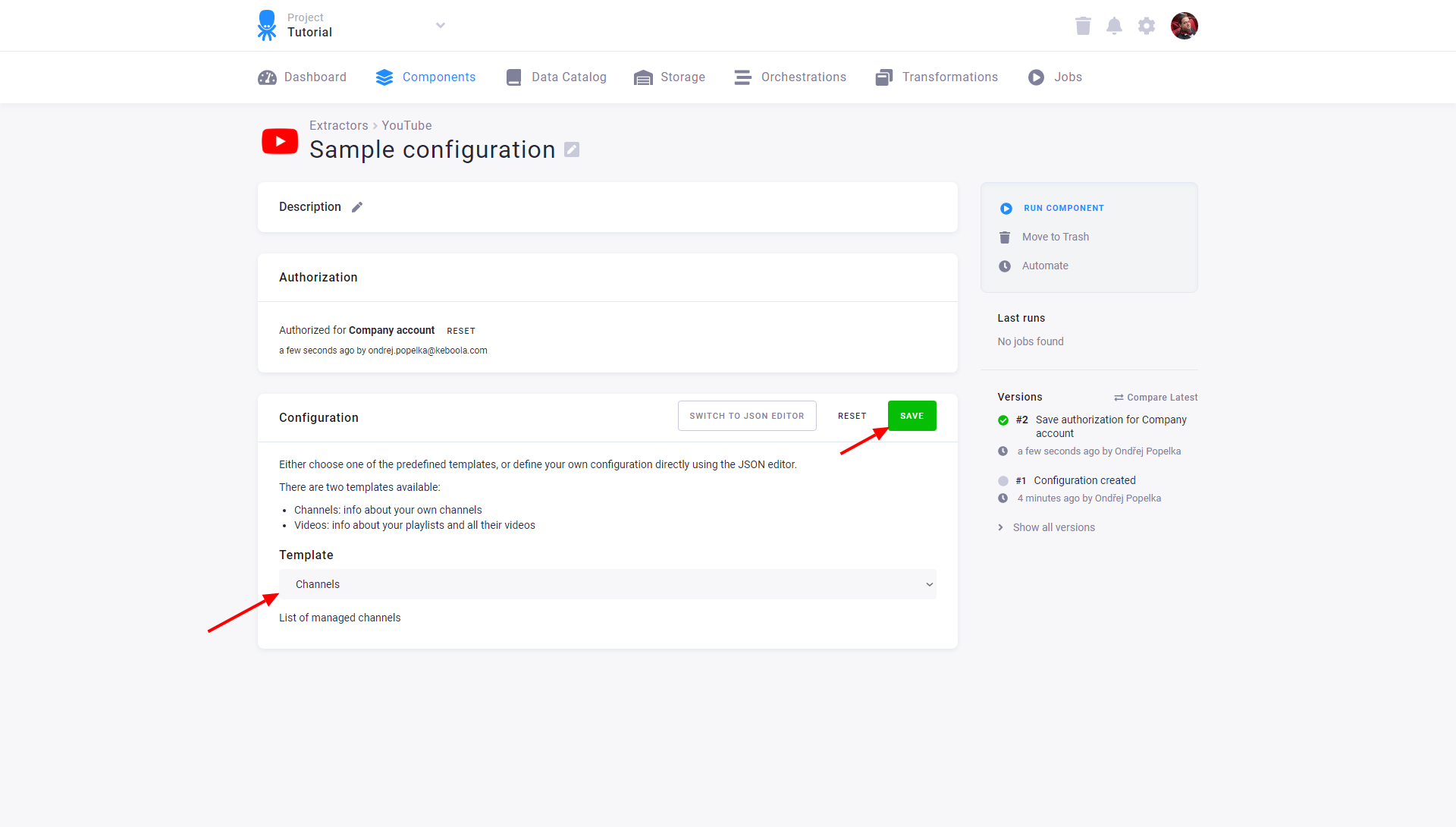
You can switch to the JSON editor for more advanced configurations.
Advanced Configuration
Section titled “Advanced Configuration”To give a simple example, the configuration for details about your channel looks like this:
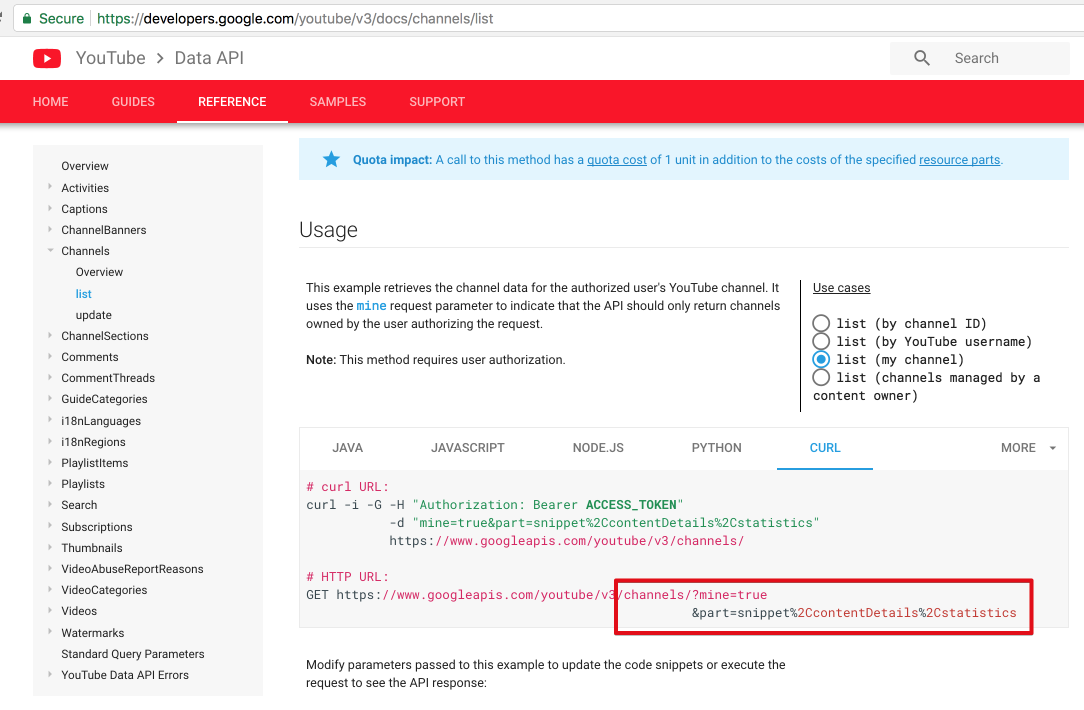
{ "jobs": [ { "endpoint": "channels?mine=true&part=snippet,contentDetails,statistics", "dataType": "channels", "dataField": "items" } ]}To learn what is the correct endpoint, look to YouTube’s API documentation (opens in a new tab) and browse for, e.g., Channels: list.
Choose one of the predefined use cases, for instance, list (my channel), and switch the example to CURL.
The endpoint is under # HTTP URL:, where you omit the base URL https://www.googleapis.com/youtube/v3/.
You can use other Generic Extractor’s functionality, too, including nesting. This example downloads your channel, iterates through its playlists, and gets all their videos:
{ "jobs": [ { "endpoint": "channels?mine=true&part=id,snippet", "dataType": "channels", "dataField": "items", "children": [ { "endpoint": "playlists?channelId={channelId}&part=id,snippet", "dataType": "playlists", "dataField": "items", "placeholders": { "channelId": "id" }, "children": [ { "endpoint": "playlistItems?playlistId={playlistId}&part=id,snippet", "dataType": "videos", "dataField": "items", "placeholders": { "playlistId": "id" } } ] } ] } ]}